DrawTheDraw
A downloadable tool for Windows and Linux
What it is
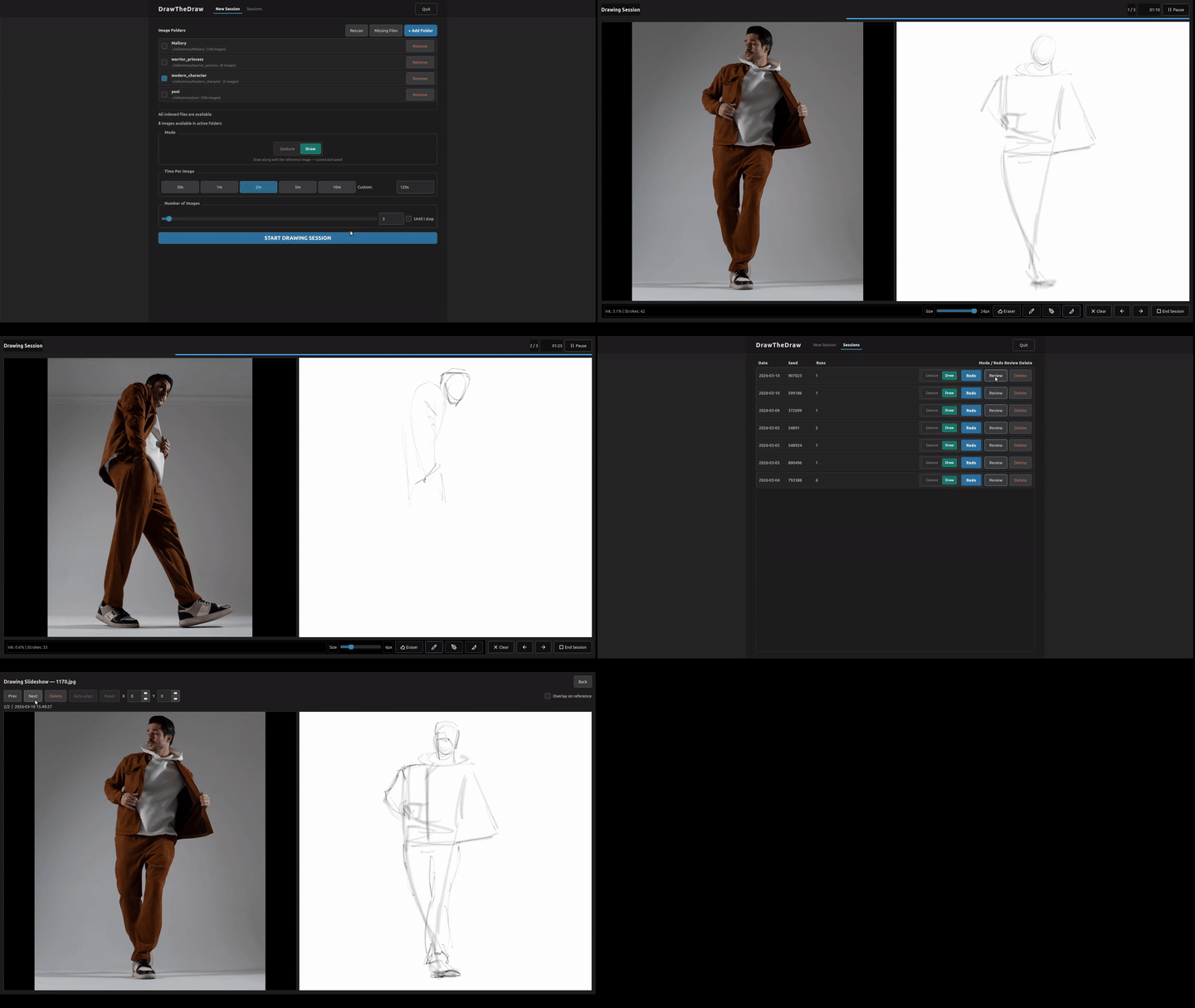
DrawTheDraw is an offline desktop app for gesture and drawing practice using your own reference folders. Add a folder, start a timed session, draw, and review what you made afterward. No account, no cloud sync. Your session data and saved drawings stay on your machine.
I wanted something that opens fast and stays focused on practice. DrawTheDraw sits between a simple reference slideshow and a full art program: enough structure to keep you moving, built-in drawing tools, and a way to look back at old attempts.
Gesture mode also works as a timed reference viewer if you prefer drawing in another drawing app or with traditional tools.
How you use it
- Add one or more folders of reference images
- Choose Gesture mode for timed viewing or Draw mode for side-by-side drawing
- Set the time per image and number of images or attempts for the session
- Use the built-in canvas with Ink, Pencil, Airbrush, Eraser and Blending tools
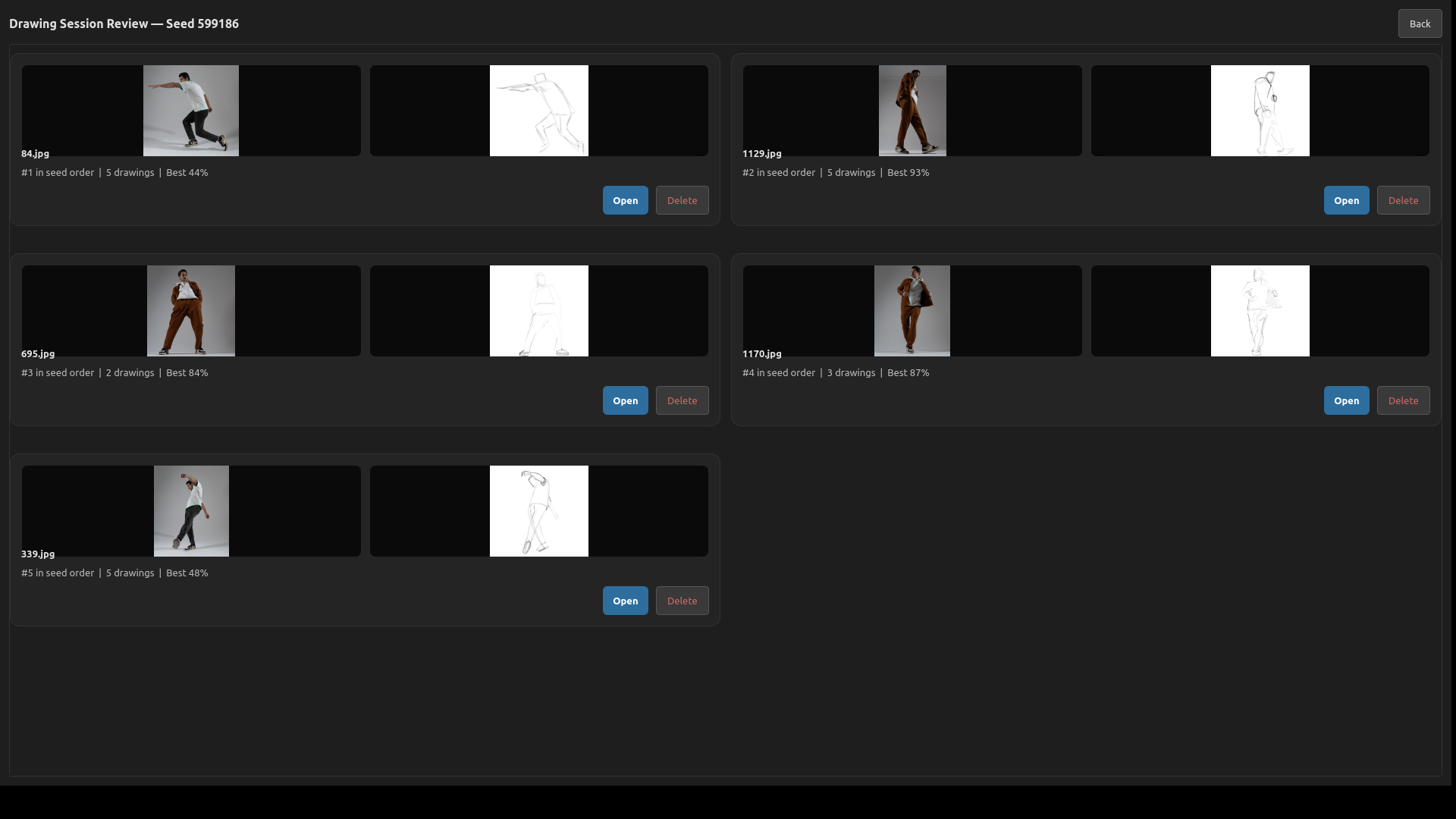
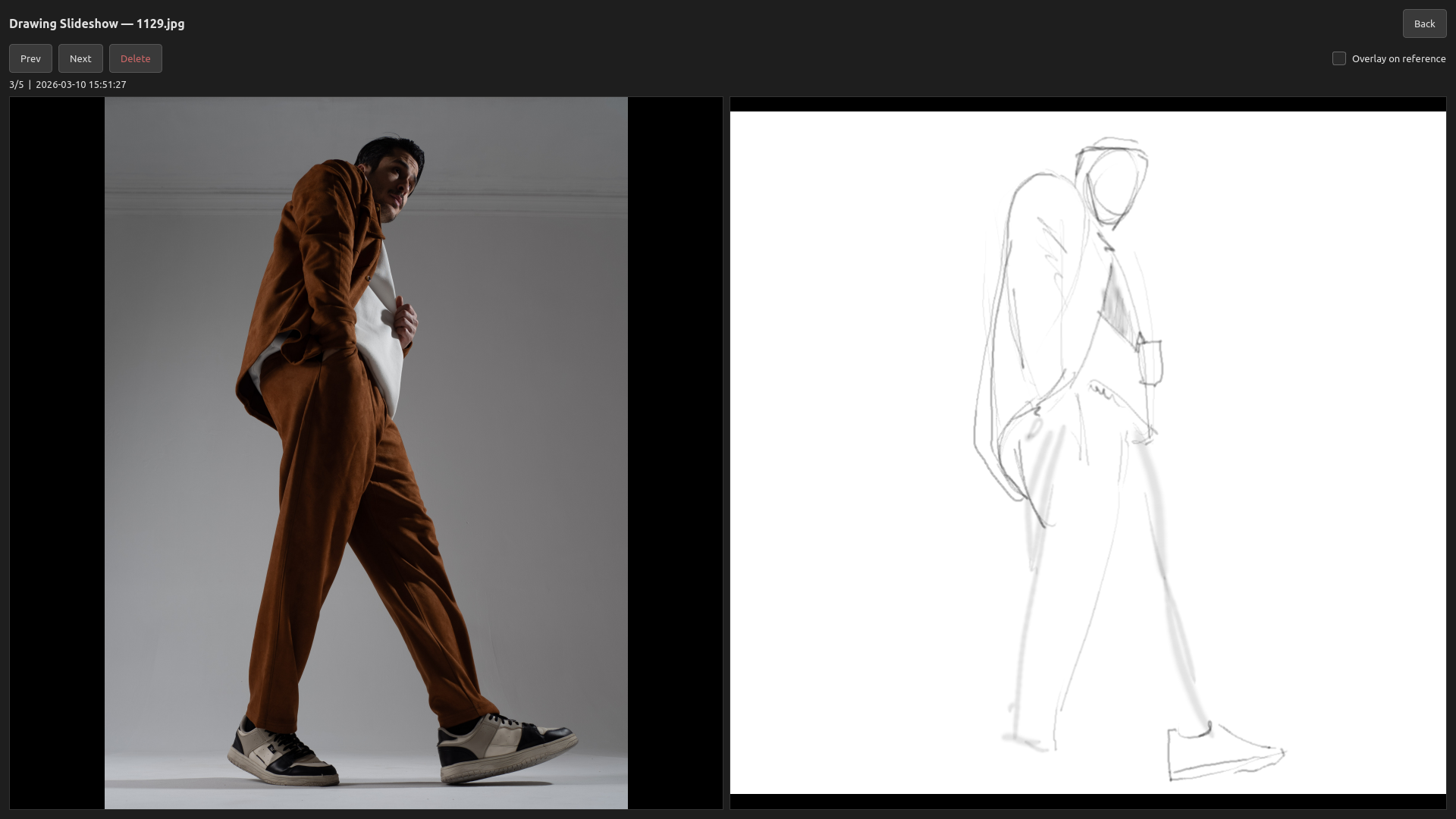
- Review saved drawings alongside the original references
- Redo a session, repeat one reference, or continue an older drawing
Improve with repetition
You can use DrawTheDraw for general timed practice across many references, but I built it mainly for repetition. Redo the same session, make several attempts from one reference, and compare your saved drawings over time.
New in v1.1.0 beta.1
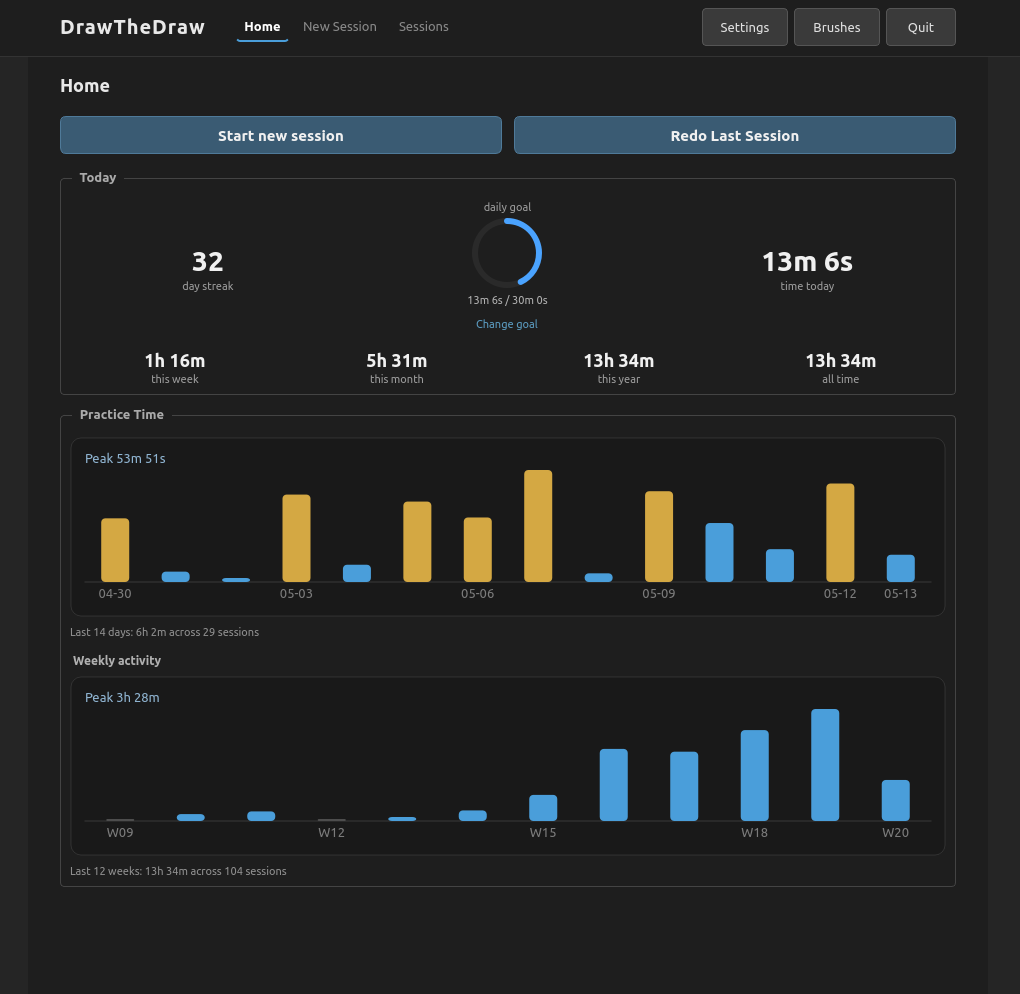
- A new Home dashboard with recent practice time, today's activity and optional daily goals
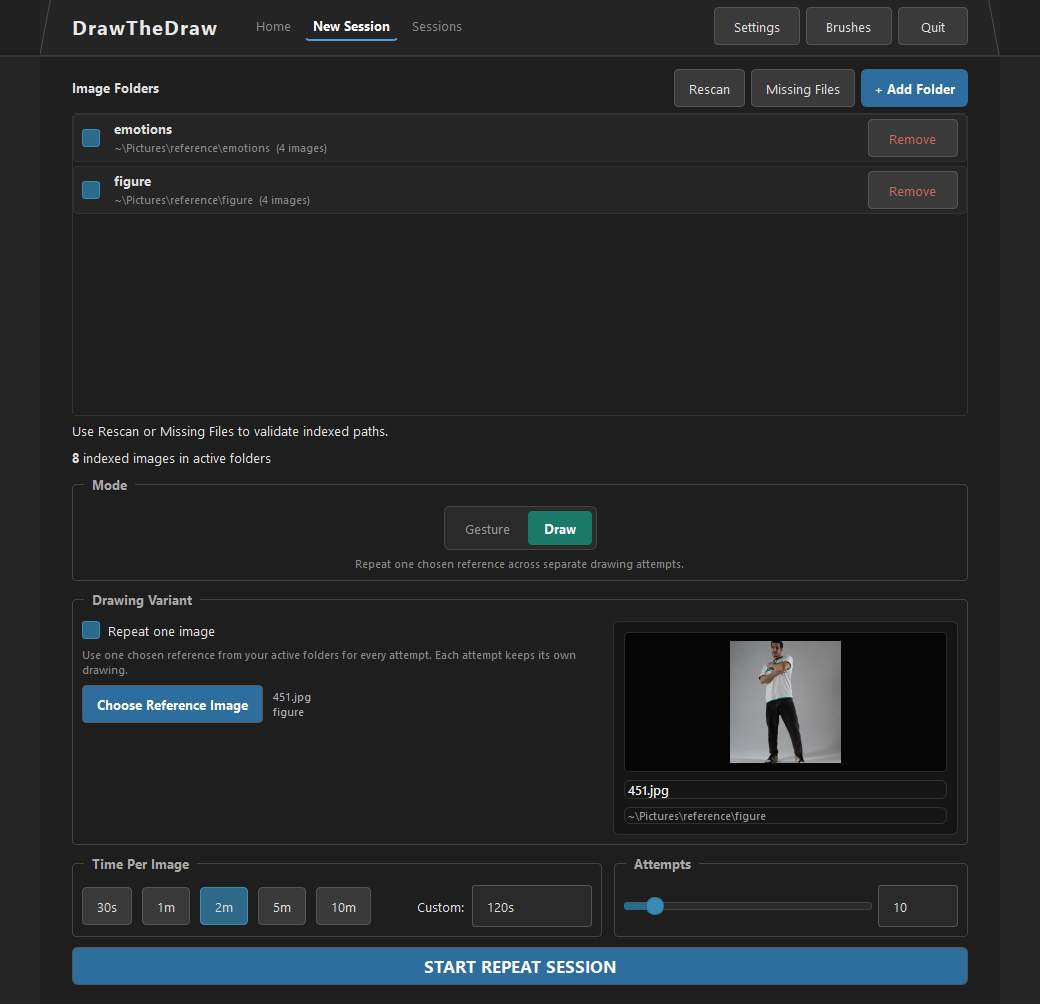
- Repeat One Image sessions for making multiple attempts from a chosen reference
- Continue from a saved drawing to create another revision without changing the original session
- Continue working after reaching the planned end of a gesture or drawing session
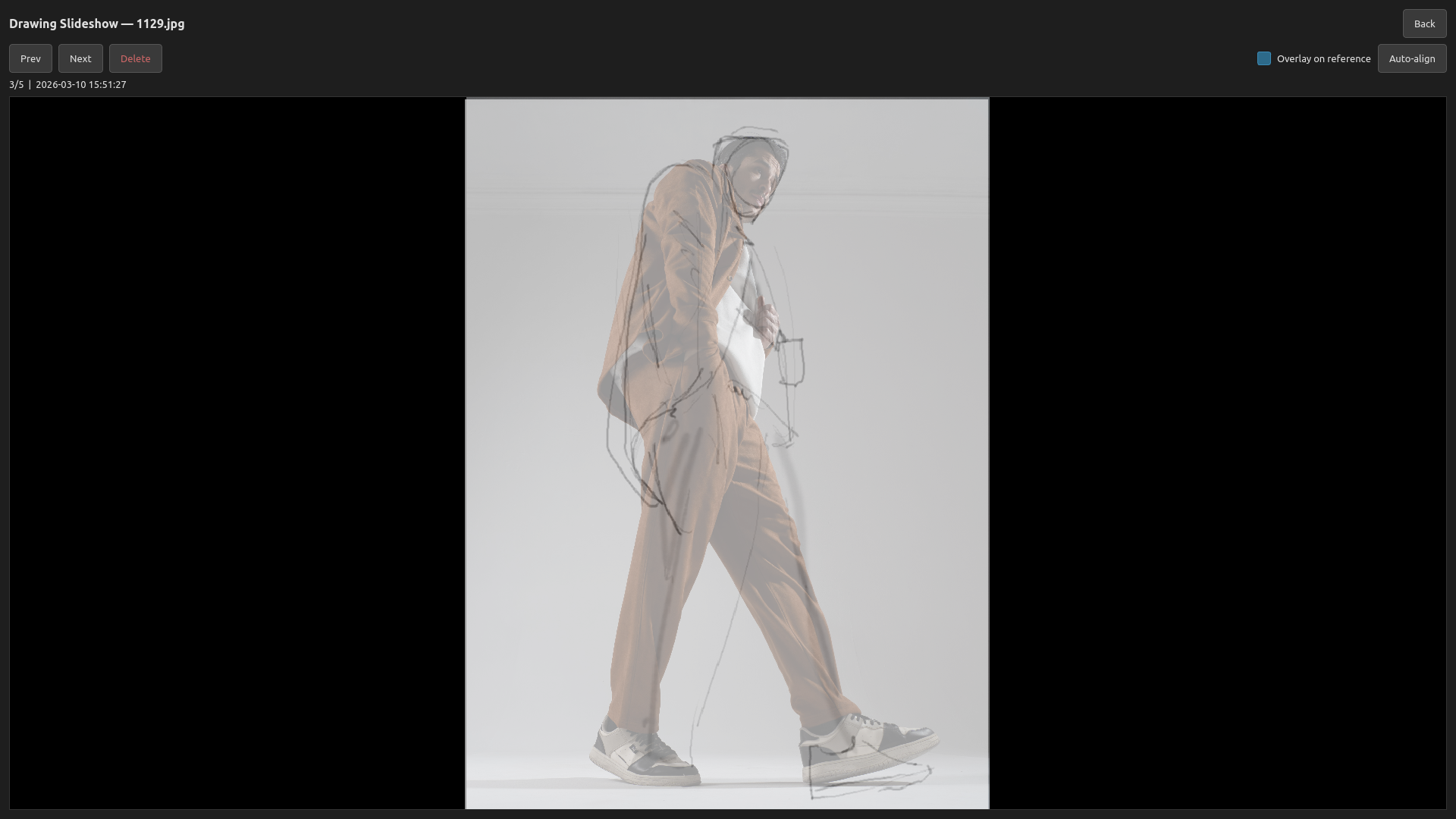
- Expanded review tools, including drawing copy, slideshow autoplay, reference overlay, and experimental timelapse playback and GIF export
- Drawing workflow improvements including Focus Mode, left- or right-handed layouts, bounded undo, and clearer practice-time tracking
Beta note
This is a public beta. I use and test it myself, but it has not yet been tested across a wide range of machines or real-user workflows. Expect rough edges. If something breaks, please leave a comment on this itch.io page.
Demo vs Full
Demo (free): One folder, one active session slot, and up to 3 images or attempts per session. Redo and Continue remain available for the demo seed.
Full (beta): No demo limits on folders, sessions, images, or attempts. This is early beta pricing. Buying now includes future updates and the full release on this itch.io page. Try the free demo first, then buy the full version if the workflow fits your practice.
Platforms
Windows and Linux.
Linux support:
- 64-bit Linux only (x86_64)
- Tested on Ubuntu 20.04 and Ubuntu 22.04
- Minimum required glibc: 2.31
- Portable build, no separate Python install required
Demo and full builds have the same Linux runtime requirements.
Portable install / remove
Windows: The Windows build is a portable zip. Extract it and run the included .exe. The executable is code-signed by Kaarlemaa. Windows or your browser may still show a SmartScreen warning while the new signing certificate builds reputation. If you downloaded the zip from this itch.io page and want to continue, check that the publisher is Kaarlemaa, then click "More info" and "Run anyway" if needed. If you are unsure about the file, cancel and delete it instead.
To remove DrawTheDraw, delete the extracted app folder. If you also want to erase your local data, delete %APPDATA%\DrawTheDraw.
Linux: The Linux build is also portable. Extract the archive and run the included app. To remove it, delete the extracted folder. To erase local data too, delete ~/.local/share/DrawTheDraw.
The local data folder contains your session database, saved drawings, and cached reference copies used for review.
Links
- Website: drawthedraw.com
- X: @drawthedraw
Purchase
In order to download this tool you must purchase it at or above the minimum price of $7 USD. You will get access to the following files:
Download demo
Leave a comment
Log in with itch.io to leave a comment.